pulse --about
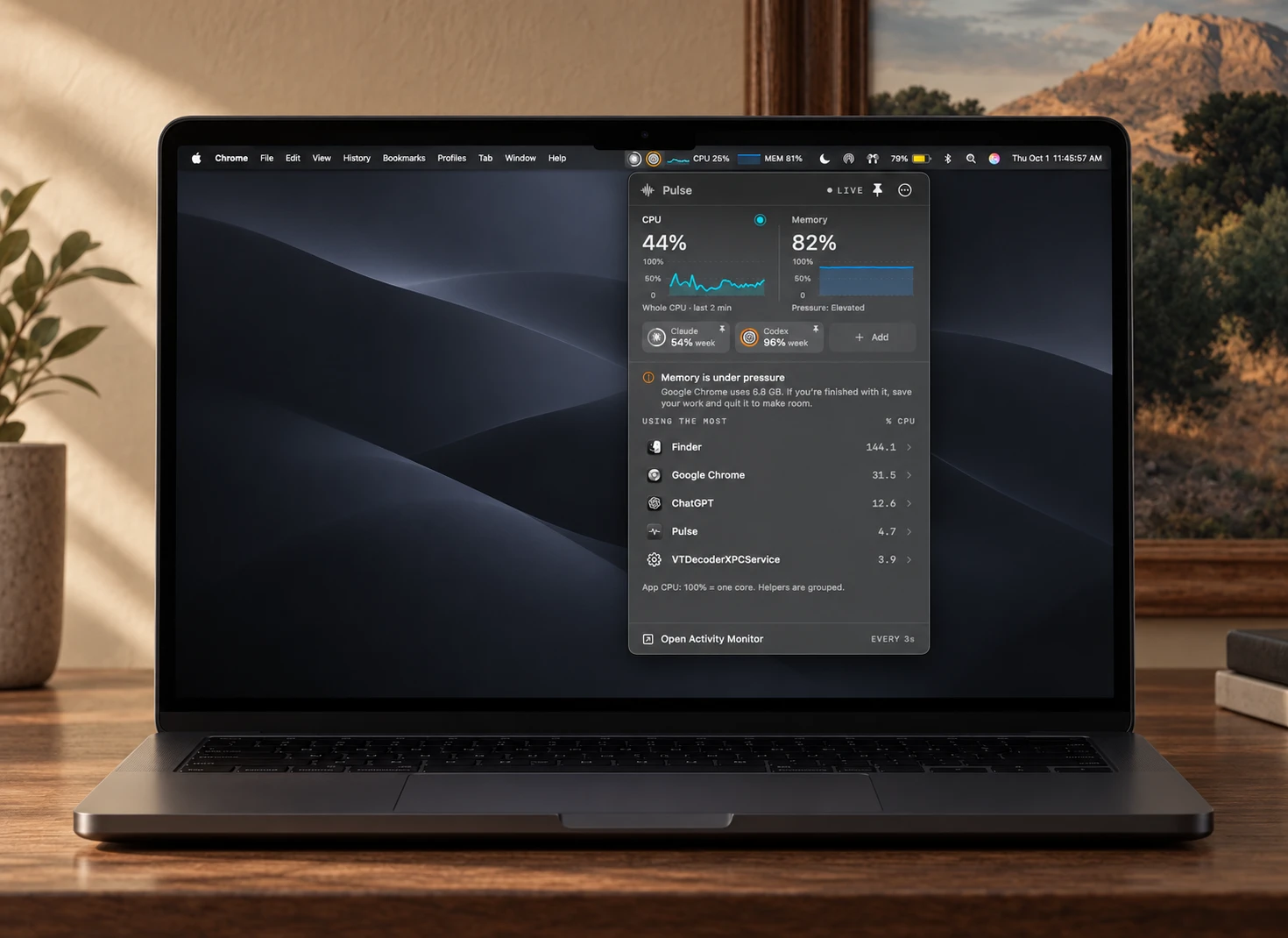
pulse watches your mac and your ai limits, right from the menu bar.
A tiny native macOS app for CPU, memory, and how much of your Claude, Codex, Copilot, Gemini or API allowance is left. About 1% of one core. Readings stay on your Mac.
open ~/dev/pulse/gallery
pulse --specs

binary        1.4 MB · arm64
memory        ~30 MB
cpu, idle     ~1% of one core
sampling      every 3 s · 2 min history
ai readings   every 5 min
source        Swift · C · Python
              ~1,900 lines
requires      macOS 14+ · Apple Silicon
dependencies  0
network       AI services only
pulse --features
- cpu + memory2-min charts, click one to rank apps
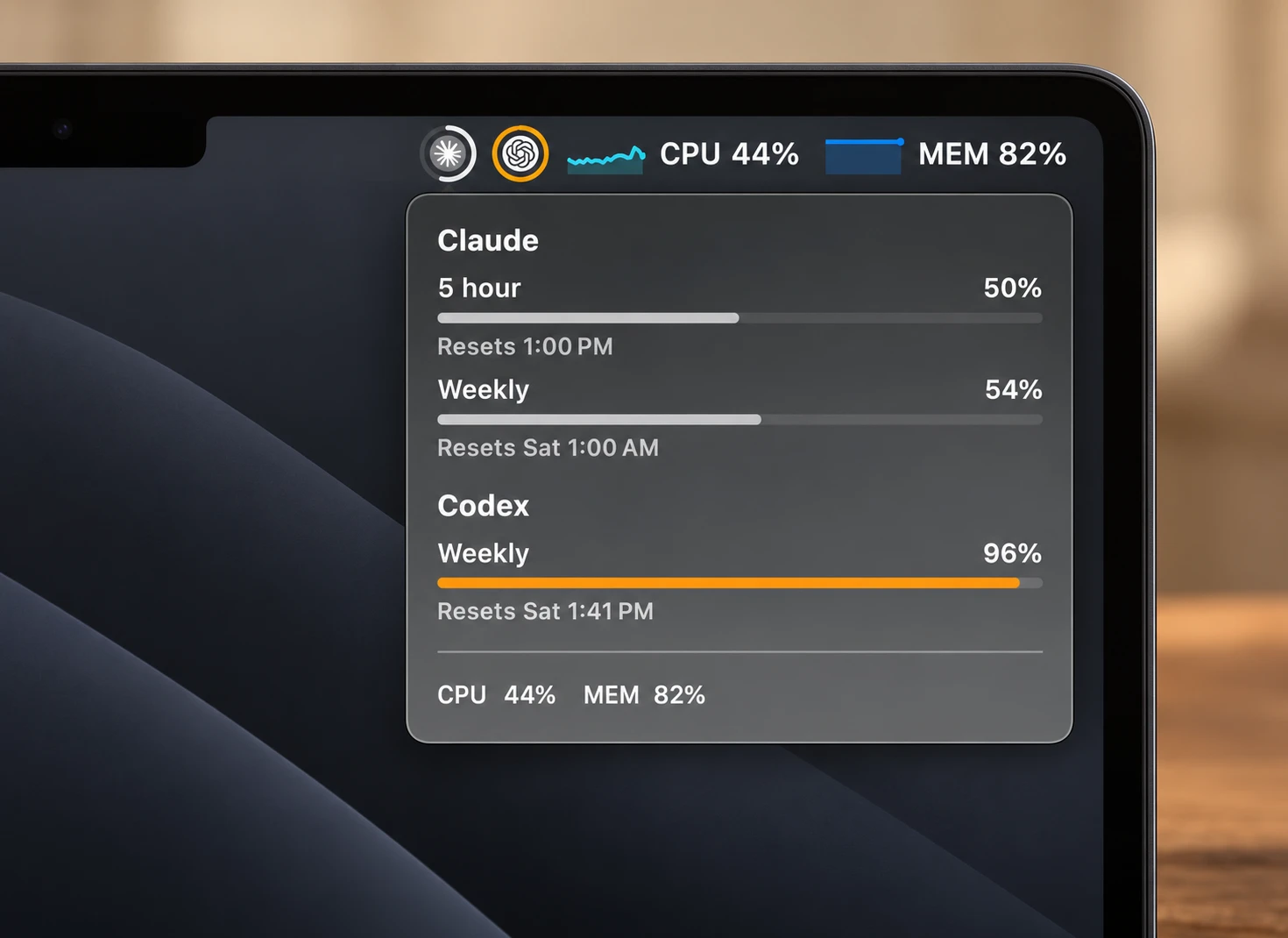
- ai limitsClaude, Codex, Copilot, Gemini
- api spendOpenAI + Anthropic, month to date
- pin threeany three tools as menu bar dials
- force quitquit, force quit, or relaunch Finder
- ~1% cpuno account, no dependencies
pulse --requirements
- Apple Silicon Mac, macOS 14 or later
- Apple's Command Line Tools (the installer offers to install them)
install
Paste this into Terminal:
git clone https://github.com/123-Cheese-Online-LLC/pulse && cd pulse && ./scripts/install.sh- Checks your Mac and builds Pulse on it, so macOS doesn't block it.
- Installs Pulse to ~/Applications and opens it.
- Asks to connect Claude for exact limits (optional).
- Asks to add Pulse to Claude Code's status line (optional, default no).
To update: run git pull in the pulse folder, then the installer again.
pulse --help
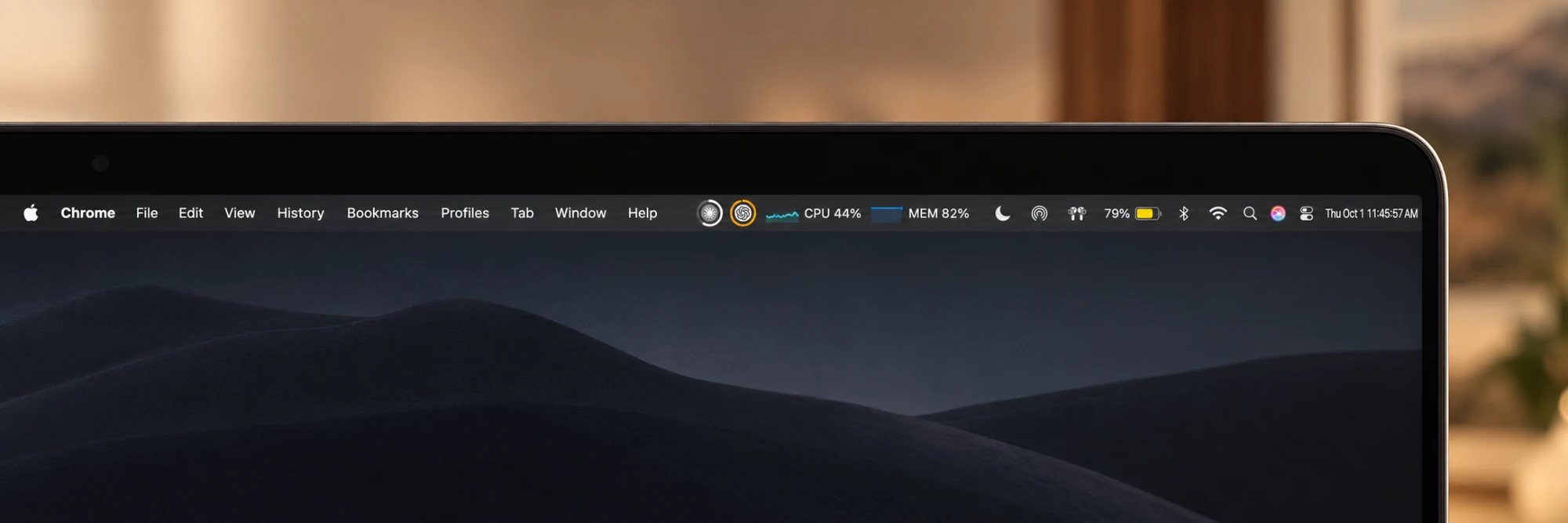
- Menu bar: up to three AI usage dials, then CPU (or memory, or both).
- Hover the menu bar for every AI limit and when it resets.
- Click to open the panel: CPU and memory charts, AI tiles, and the apps using the most.
- Click a tile to pin it to the menu bar (max three). A tile like 84% 5h is the limit closest to running out.
- + Add tracks OpenAI or Anthropic API spend with an admin key, stored in your Keychain.
- Quit or Force Quit heavy apps from their detail card.
pulse --tools
Tools appear on their own once they're set up on your Mac. Nothing extra is installed.
| tool | shows |
|---|---|
| Claude Code | 5-hour and weekly %, or tokens used |
| Codex | 5-hour and weekly % |
| GitHub Copilot | chat, completions and premium % |
| Gemini CLI | tokens, last 5 hours and 7 days |
| OpenAI API | $ this month (admin key) |
| Anthropic API | $ this month (admin key) |
pulse status
See what Pulse can read on your Mac. It prints no keys or tokens. Add -a to also list tools that aren't set up.
/usr/bin/python3 ~/Applications/Pulse.app/Contents/Resources/usage_bridge.py statusuninstall
osascript -e 'tell application id "local.koz46.pulse" to quit'; rm -rf ~/Applications/Pulse.app ~/Library/Application\ Support/Pulse; defaults delete local.koz46.pulseFull uninstall notes, including saved API keys and the Claude status line, are in the README.
open source
github.com/123-Cheese-Online-LLC/pulse